Display Calibration
The Main View is calibrated to a real-world scale for precise display of designs. Use the Preferences Window to calibrate your display for real-world size:
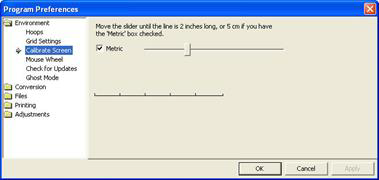
Hold a ruler up to your screen and adjust the slider until the measurement in the program matches your real-world ruler. This will help you better estimate real design size while editing designs.