The Property Sheet
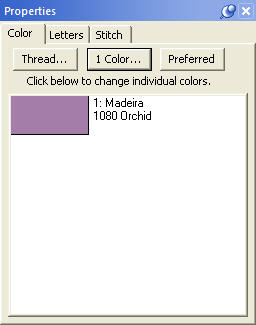 When you have design or object items
selected, there may be properties that you can adjust. The Property Sheet
contains individual ‘Property Pages’ that let you adjust the selected items. The
pages are displayed as tabs. Click on the tab to work with the design or object
items that are selected.
When you have design or object items
selected, there may be properties that you can adjust. The Property Sheet
contains individual ‘Property Pages’ that let you adjust the selected items. The
pages are displayed as tabs. Click on the tab to work with the design or object
items that are selected.
If nothing is selected, the Property Sheet will display the Color property page, which in turn will show every color in the Design Page. This is a convenience that allows you to change colors on the page.
Note: Sometimes, users will confuse the Colors property tab with the Object View. You cannot select anything using the Colors property page. This page merely reflects what is selected and lets you change the colors on display.
The individual tabbed pages that you see will depend on the designs and objects that you have selected, and we’ll cover those individual controls in the respective sections for the design types; Lettering, Embroidery and Library designs.