Stitch Files
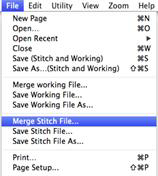

 Clicking the Merge
Stitch File tool found on the Design Toolbar or selecting Merge from the File
menu will display the Merge Design Files dialog. Here you browse for embroidery
designs to add to the Design Page.
Clicking the Merge
Stitch File tool found on the Design Toolbar or selecting Merge from the File
menu will display the Merge Design Files dialog. Here you browse for embroidery
designs to add to the Design Page.
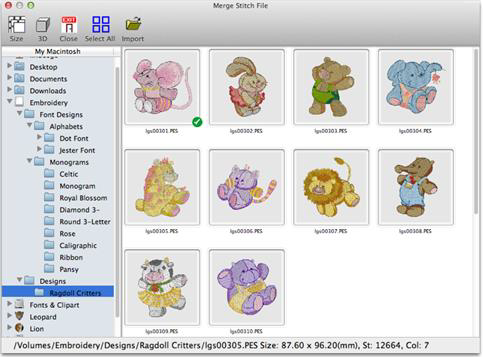
The Merge Design view allows you to browse thumbnails of your files and select one or more files in import. Notice that the design’s details display at the bottom of the window.
• The Size control of this dialog determines the preview size of the design thumbnails (the design does not have to be selected for the determined size). The 3D control shows the preview in 3D, i.e. it shows simulated stitches.
• Click the Import control to bring the selected design(s) into the Design Page. The imported design will be centered on the Design Page.

Merged Stitch File behind Monogram
 Size and Move