 Cut is a path operation that lets you remove a part of a shape, in
the form of another shape. Think in terms of a cookie cutter. There is a base
shape (earliest in the sequence), your dough in this example, and a cookie
cutter on top. Position the cutter as you like, select the two shapes, and click
the Cut button. The base object will now have its shape adjusted to have the
area under the cutter removed.
Cut is a path operation that lets you remove a part of a shape, in
the form of another shape. Think in terms of a cookie cutter. There is a base
shape (earliest in the sequence), your dough in this example, and a cookie
cutter on top. Position the cutter as you like, select the two shapes, and click
the Cut button. The base object will now have its shape adjusted to have the
area under the cutter removed.
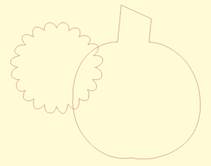
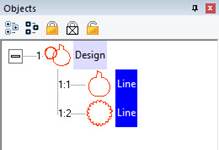
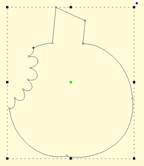
Here we use a couple shapes from the Library; the Pumpkin and
a Flower. Note the Pumpkin is the first object, which is the one that gets
operated on. Select both items and click the Cut button which gives the
appearance of a ‘bite’ being taken out of the pumpkin. Do we have rabbits in the
garden?