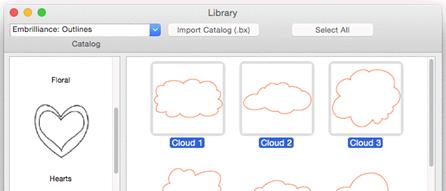
The Library button on the main toolbar will bring in design
collections that have been published in the platform. There are several
collections included which allow you to use them in your own work – saving you
time in drawing these shapes. When bringing in a library shape, the program uses
the current page’s view center and zoom level to determine where it will come
in. Once it has been brought in, you can size and place it as needed, even edit
its outline, as if you had drawn it yourself.
The Library button on the main toolbar will bring in design
collections that have been published in the platform. There are several
collections included which allow you to use them in your own work – saving you
time in drawing these shapes. When bringing in a library shape, the program uses
the current page’s view center and zoom level to determine where it will come
in. Once it has been brought in, you can size and place it as needed, even edit
its outline, as if you had drawn it yourself.
The Library has been extended to include hundreds of outlines
that you can use with StitchArtist to make your own designs. They are even
royalty-free!