The Font List has some options. You can select one or more fonts. If only one is selected and Preview is chosen, that one will be used in the Platform main view.
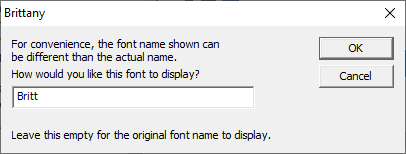
Display Name Window
Individual fonts have names provided by the digitizer that created them. You may want to rename a font. Fonts won’t have their real names actually changed, but you can add a display name. This helps you identify them easier. Note that searches will look at both the real name and display name. Also, the character view will show both names. If you want to remove your display name, simply empty the text box in this window and click OK.
Discard Font is a right-click option in the Font List. When you run across a font you no longer need or want, you can discard it. This removes it from your font list, and the font will not load any longer. Fonts that are discarded are moved, along with their full folder path, into a library folder called Discarded. This folder is not emptied, unless by you. At any time, you can open the Library Folder from the Platform, find the font folder, and move it back into position. If you really want it permanently deleted, that’s your call.