A design template showing the design at full size and with registration marks can be printed. Just choose print from the File menu.
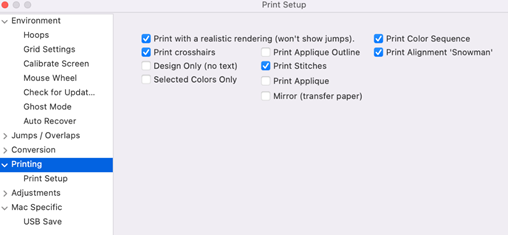
On the left are common options for printing templates. This includes 3D and crosshairs that mark the center of the design for hoop placement. Also, you can choose not to print design information (Design Only).
The alignment target or ‘snowman’ is a figure-8 image on an adhesive-backed sticker used with certain Brother/Baby Lock machines that have camera features to perfectly place and rotate designs. The program can imitate this sticker by adding it to the image printed. Those machines won’t know that it’s not a sticker. However, unlike the sticker, this target can only be placed normally, straight up and centered. If you have one of those machines, use the actual sticker for alternate placements.