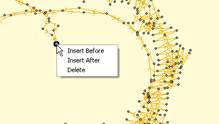
If you have a stitch selected, right-click to get a pop-up menu that will let you insert stitches.
Notice that you can see the direction of the stitches when you are zoomed in. This helps determine ‘before’ or ‘after’. The arrow on each stitch points toward the next stitch as the design would sew.
Left: Right-click to select the Insert mode.
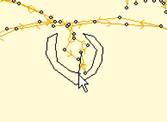
Middle: Inserting stitches.
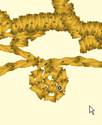
Right: Stitches have been inserted.