 When
sewing on terry or any fabric with loops and nap, generally a topping stabilizer
is used. These can be helpful, but have a limitation: They do not hold down the
nap past the actual stitch, which means outlines can be lost in the surrounding
fabric. Using the menu Utility->Add Knockdown Stitches you can create a
global underlay for the entire design. The underlay extends a few millimeters
past the edge of the design, which helps the overall effect.
When
sewing on terry or any fabric with loops and nap, generally a topping stabilizer
is used. These can be helpful, but have a limitation: They do not hold down the
nap past the actual stitch, which means outlines can be lost in the surrounding
fabric. Using the menu Utility->Add Knockdown Stitches you can create a
global underlay for the entire design. The underlay extends a few millimeters
past the edge of the design, which helps the overall effect.

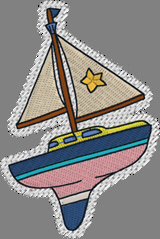
When you add
Knockdown stitching, there are some options you can use. Generally, don’t change
the defaults.
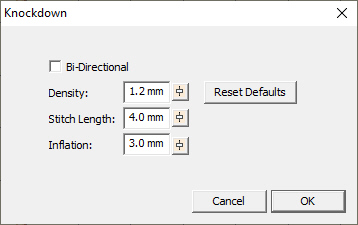
These
options are included for fabrics that react in unanticipated ways, and the only
way to know what to adjust is through the process of test-sewing.
Knockdown
normally stitches one direction, on a bias, but some users have asked for it to
stitch both ways for additional flattening. This is what the Bi-Directional box
is for. Alternately, the density can be increased to hold down in a tighter
pattern.
Stitch
length is adjustable if it helps with the nap. It is fairly universal at 4mm but
some digitizers like to have control of it for other
purposes.
Inflation
controls the size of the knockdown. For its intended purpose, the Knockdown has
to be larger than the design, but normally not a lot. Some may want to extend
the size by increasing the inflation, which makes the embossed look of it stand
out further.