The Affirm plugin extends WooCommerce, allowing your store to accept payments directly via Affirm’s API.
Installation ↑ Back to Top
- Unzip and upload the plugin’s folder to your
/wp-content/plugins/directory. - Activate the extension through the ‘Plugins’ menu in WordPress.
- Install and activate the WooThemes Helper plugin
- Go to: Dashboard > WooThemes Helper and add your license key to activate the product for 2-click updates.
- Go to: WooCommerce > Settings > Checkout> Affirm to configure the plugin.
To learn more about installing and managing plugins, see Installing and Managing Plugins.
Setup ↑ Back to Top
In WooCommerce’s Checkout settings, enable Force Secure Checkout.

In Affirm’s settings, enter your public key, private key, and financial product keys (obtained from your Affirm account). Once enabled, Affirm will display during checkout.

Customer Usage ↑ Back to Top
First, customers (US only) select Affirm on the checkout page.

Then they will be redirected to Affirm to complete payment and will see something like the following:

Order Review↑ Back to Top
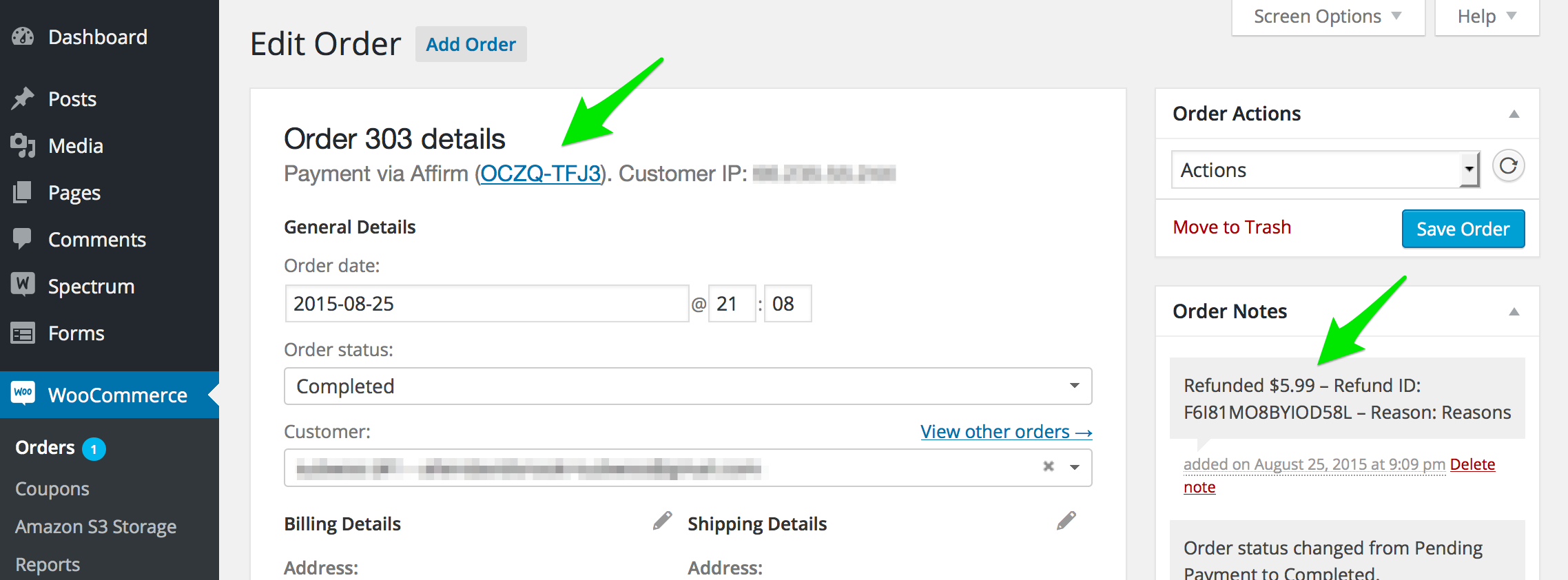
For your convenience, a link to the Affirm merchant portal for each order is provided at the top of the order view. You can also prompt Affirm to issue refunds from the order view.
FAQ ↑ Back to Top
The method is not showing.
Your site's currency must be set to USD or CAD. Also, customers must have a US or CA based billing address to use Affirm. Finally, in live mode, SSL must be enabled in order to use Affirm.
Nothing happens when the customer attempts to pay with Affirm
This error may be caused by non-standard/poorly coded themes and JavaScript (JS) issues. Common issues include:
- JavaScript errors on the checkout page – To view the error, open up your browser error console (in Chrome: View > developer > JavaScript console) and look for red errors. This should indicate where the error is located and lead you to the problem, i.e., loading jQuery incorrectly
- Failing to load scripts – Affirm loads JavaScript which it needs to function. If these are not loaded you will see errors. The most common reasons for not loading are:
- A theme missing wp_head() or wp_footer() calls
- Old overridden template files from WooCommerce inside your theme
- Loading headers/footers in a non-standard way. WooCommerce uses get_header()’s get_header action to init the checkout and load scripts. If you are not using get_header() you either need to do so, or you need to trigger the get_header action manually using: do_action( ‘get_header ); in your custom header loader.
Is it possible to override templates on the Affirm pages?
No. These pages are served by Affirm.
Troubleshooting ↑ Back to Top
The customer gets an error when attempting to pay using Affirm.
Ensure that you have input the correct keys and, if you are in live mode, you have entered live keys (not test keys).