
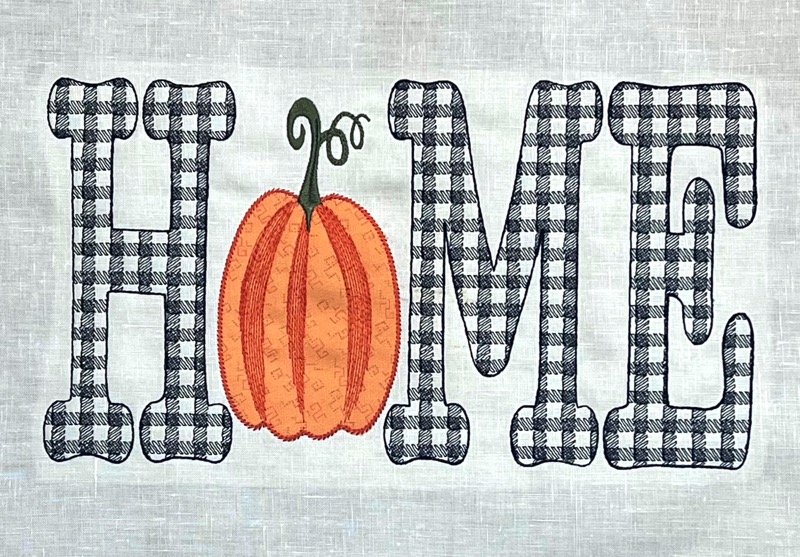
It’s time to start stitching up those fall favorites! Around here, that means it’s pumpkin season. It’s time for warm, spiced coffees, cozy clothes, and seasonal stitches! We couldn’t help but invoke the spirit of soft, flannel sheets and hot pumpkin pie to bring you this new ‘HOME’ design, complete with a custom ‘Buffalo Plaid’ motif and an awesome revision on one of our favorite pumpkin designs.

Creating the perfect Combination
Creating your own designs and working with StitchArtist native working files means you can adjust and reuse any element of your designs again in other projects, with complete control over all the sizes and settings! Our pumpkin ‘O’ may look familiar to those that follow our project blog, as we created this vintage applique some time ago. In fact, you can still find it in the original post! That chubby little pumpkin grew up and got skinny to create the perfect “O” in our HOME design! Simply done with a couple of clicks and drags in StitchArtist!

If you carefully follow our project blog, you might even remember “Buffalo Plaid” motif from the JOY design found here in our project blog. Every fall, folks come looking for that sweet motif, and we get it: Who doesn’t love to cuddle up in warm plaid flannel PJs as we head into the “-ber months”, and what better way to make your embroidery look cozy than to add some plaid!
An Updated Library for our StitchArtist Stitchers
Though we think our ‘HOME’ design is a nice surprise for everyone, we have an extra treat for our StitchArtist stitchers! As part of this design download, we’re releasing a new update of the custom motif library that you can use to add some plaid to your own designs. If you want to get inspired by projects using the previous releases, check out the first blog post from when the library was released and then the followup post when we added more motifs to the library!
This updated motif library contains all the previous motifs so no need to install the others! And if you have installed the others, this one will just overwrite any older versions. Simply install the BX file included in the download below as usual. If you need a refresher, this FAQ has all the information you need.

Once it’s installed, all you have to do is select your object, click the ‘Motif Fill’ button in the top menu, click the plus sign in the Motif Properties menu at the lower right, then select the Blog: SewBubbles 1 library and scroll down to the Buffalo Plaid. Once it’s applied, you’ll have all the motif controls to play with size and placement of the plaid pattern. For proper alignment, make sure the Density and the Height measurements match!
Download and Decorate!
The zipped file contains two .BE files of the HOME design – one is for the 5×7 hoop and the other is for the 8×12. The smaller version had to be adjusted just a bit for the smaller size. If you want a size smaller than 8×12 that is larger than the 5×7, we recommend enlarge the 5×7. If you want to go bigger than 8×12, enlarge the 8×12 design.
If you aren’t already an Embrilliance owner, we provide a free method to use our software called Express Mode that will not only allow you to use any of the wonderful free designs found in our project blog, but also enables you to install and create basic text treatments with fonts distributed in our popular .BX format produced by many embroidery design creators.
To learn more about Embrilliance Express and for the instructions and links you need to download, install, and use our software with our free project files, please click here.